How to Get a Real Estate Headshot With AI in 2026 (Step-by-Step Guide)
Your headshot is on your business cards, your yard signs, your email signature, Zillow, and every social post — it is the most-seen photo of your entire career. Getting a real estate headshot with AI means you can refresh that all-important first impression in minutes, from your laptop, for a fraction of a studio session. This guide walks through the exact step-by-step process agents use in 2026 to get clean, professional, on-brand headshots that actually look like you — plus the mistakes to avoid and the tool we recommend.
Table of contents
- Why agents are switching to AI headshots
- How to get a real estate headshot with AI, step by step
- The AI headshot tool we recommend
- Mistakes that make AI headshots look fake
- Frequently asked questions
Why agents are switching to AI headshots
A traditional headshot session runs $150 to $400+, requires booking, travel, and a day of waiting on edits — and the moment you change your hair, glasses, or brokerage, it is out of date. AI headshot tools flip that: you upload selfies, and minutes later you have dozens of professional, studio-lit portraits in different outfits and backgrounds. For agents who need a fresh, consistent brand photo across platforms without scheduling a shoot, the speed and cost are hard to beat. If you are still weighing the two approaches, read our breakdown of AI headshots vs a traditional photographer.
How to get a real estate headshot with AI, step by step
The whole process takes about 15 minutes of your time, plus the tool’s processing time.
1. Gather 8–15 varied selfies. The AI learns your face from your uploads, so give it good material: different angles, expressions, and lighting, taken on different days. Avoid sunglasses, hats, heavy filters, and other people in the frame.
2. Use clear, well-lit, recent photos. Natural daylight facing a window is ideal. Sharp, front-facing shots where your whole face is visible produce the most accurate likeness.
3. Choose a professional style and wardrobe. For real estate, pick business or business-casual attire and neutral, non-distracting backgrounds — office, soft studio gray, or a tasteful outdoor blur. Aim for approachable and credible, not glamour-shot.
4. Generate your batch. Upload, pick your styles, and let the tool process. Most return dozens to 100+ variations so you can choose the few that look most like you.
5. Select for likeness first, polish second. Shortlist the images where you genuinely recognize yourself — clients will meet the real you, so accuracy matters more than the most flattering render. Then narrow by lighting and expression.
6. Pick one primary and a few alternates. Choose one main headshot for your MLS profile and signage, and keep a couple of alternates for social and seasonal use so your brand stays fresh. For the full marketing stack around your photo, see our complete guide to the best AI tools for real estate agents.
The AI headshot tool we recommend
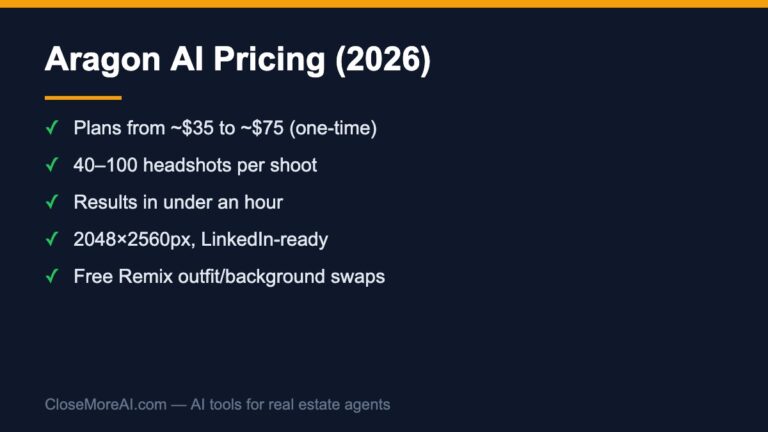
After testing the major AI headshot generators, the one we recommend for agents is Aragon AI. It has a dedicated real-estate headshot flow, produces natural, business-appropriate results (not over-smoothed AI faces), and turns around a full batch fast. Its real-estate plans are roughly $35 to $75 depending on how many headshots and styles you want.
| Plan | Roughly | Good for |
|---|---|---|
| Starter | ~$35 (~20 headshots, ~2h) | One solid profile photo |
| Basic | ~$45 (~60 headshots, ~1h) | Profile + social variety |
| Premium | ~$75 (~100 headshots, ~30 min) | Full brand refresh, fastest |
Refresh your brand photo today: get your real estate headshots with Aragon AI →. For more detail, read our full Aragon AI review, see plan costs in the Aragon AI pricing guide, or compare the field in our best AI headshot generators roundup.
Mistakes that make AI headshots look fake
The difference between a headshot that works and one that screams “AI” usually comes down to the inputs. Avoid these: uploading too few or near-identical selfies (the model overfits and warps your features); using heavily filtered or low-light source photos; picking the most “beautiful” render over the most accurate one; choosing busy or fantastical backgrounds that look nothing like a real office; and skipping a quick check of hands, teeth, and ears, where AI sometimes slips. When in doubt, pick the version a client would recognize when they walk into the showing. For a closer look at the exact tells and how the best tools avoid them, see our guide on whether AI headshots look fake. Professionalism in advertising is also an ethics matter — the National Association of Realtors Code of Ethics expects truthful presentation, so your headshot should look like the person clients will actually meet.
Frequently asked questions
Do AI real estate headshots look professional?
Yes, when you use good source selfies and a quality tool. The best results are indistinguishable from a studio shoot and are tuned for business-appropriate, conservative portraits.
How much does a real estate headshot with AI cost?
Typically $35 to $75 for a full batch — far less than a $150–$400 photographer session. See our Aragon AI pricing guide for current plans.
Is it ethical to use an AI headshot as a Realtor?
Yes, as long as it genuinely looks like you. The goal is an accurate, professional likeness — not a different-looking person — so clients recognize you in real life.
Want our free 2026 AI Toolkit for Agents — 25 tools that win listings and close deals? Grab the free toolkit here.